Operations

Everything about your day, in one login

The Business Portal is RunLoyal's cloud-based dashboard for owners and staff. Manage bookings, the calendar, check-ins, payments, staff schedules, and reporting from one place, in any browser, whether you're at the front desk or checking in from home.
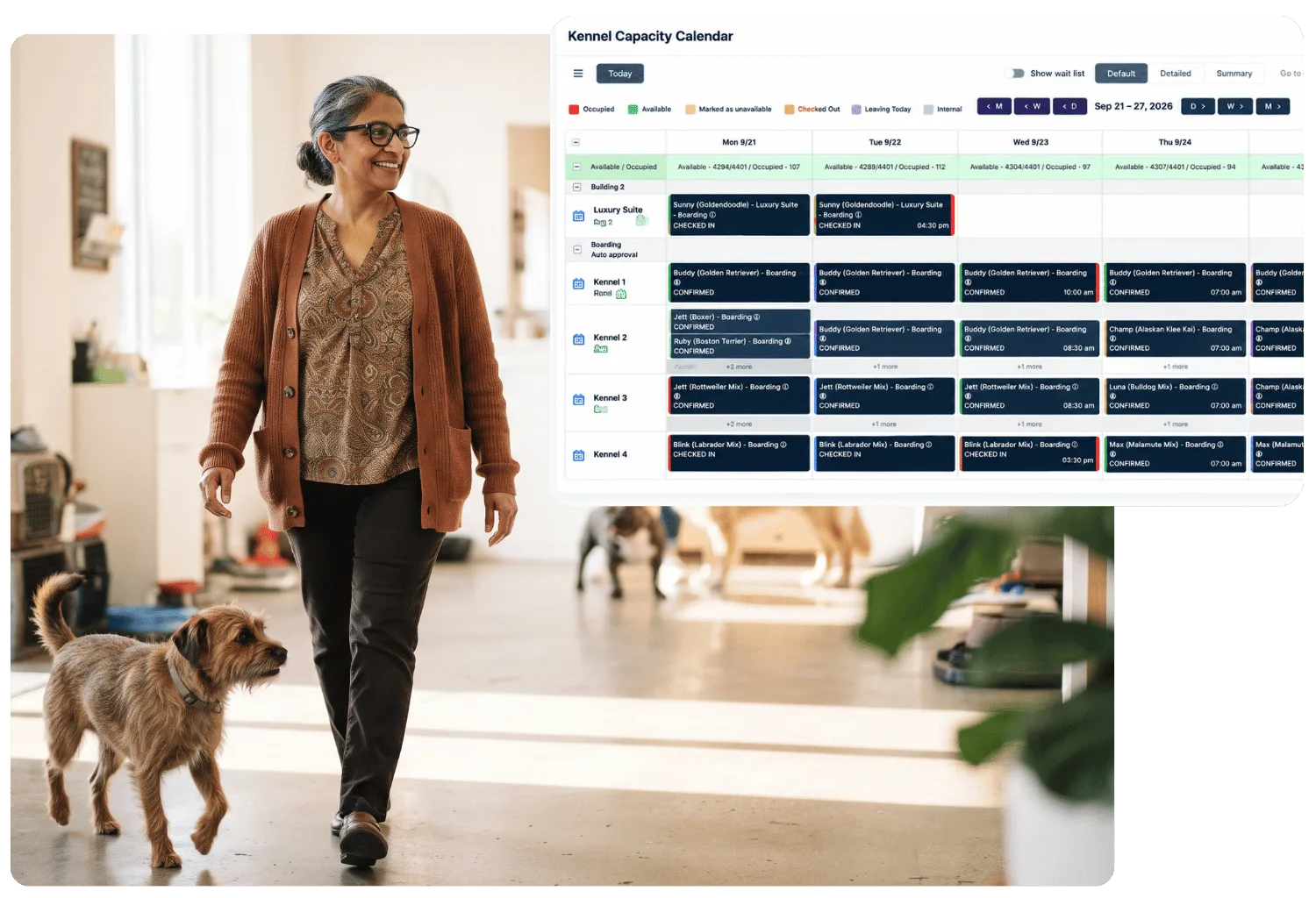
Kennel Capacity Calendar showing a week of boarding reservations by kennel, beside a smiling staff member walking through a sunny daycare floor with a scruffy dog
A day in the portal

Open it once, and the day is in front of you

Daily SnapshotToday
Appointments · today at a glanceArrivals · who is coming inNumbers · that matter
01

Start with the dashboard

A snapshot of today's appointments, arrivals, and the numbers that matter, the moment you log in.

CalendarLive
Bookings · every one in viewRooms · drag and dropCheck-in · in and out
02

Run the calendar and check-ins

See every booking, drag and drop room assignments, and check pets in and out from the same view.

PaymentsRevenue
Payments · processed in portalInvoices · history and statusReports · where revenue comes from
03

Handle payments and reports

Process payments and see where revenue is coming from, without switching to a separate tool.

Your TeamStaff
Time clock · in, out and breaksSchedules · in the same portalPermissions · per staff login
04

Manage your team

Staff clock in, clock out, and log breaks with their own login, and schedules and permissions live in the same portal.

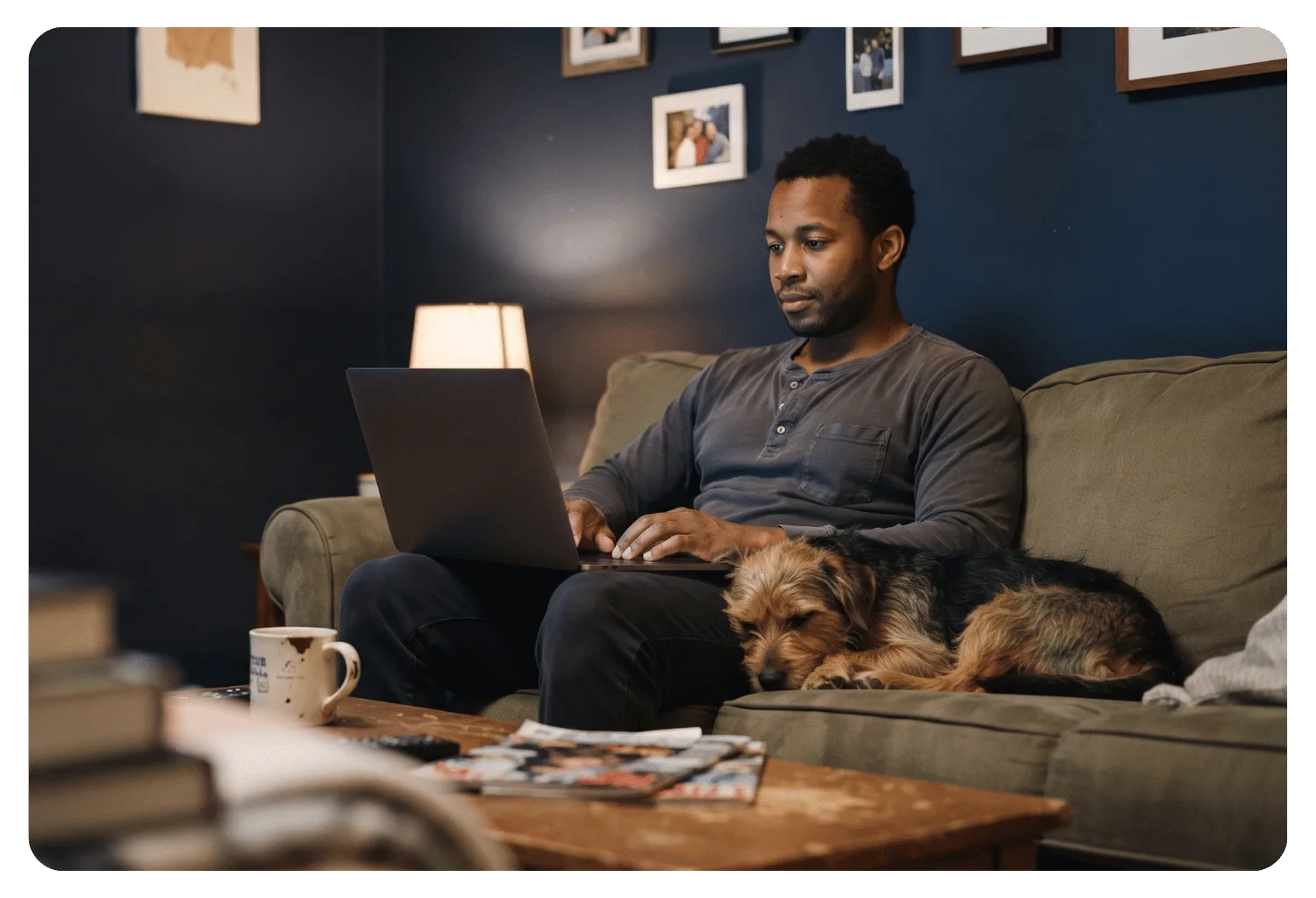
Business owner working on a laptop from his couch at home while his scruffy dog sleeps beside him

Checked from the front desk, or the couch, same login either way.

Why it matters

One place to see the whole day

Running a facility from five different logins means something always falls through a crack, a booking nobody confirmed, a payment nobody chased. The Business Portal is the one place an owner or manager can see the whole day, not just their part of it.

60 min saved

Per day, checking one dashboard instead of five tools.

What's in the portal

The screens your team actually lives in
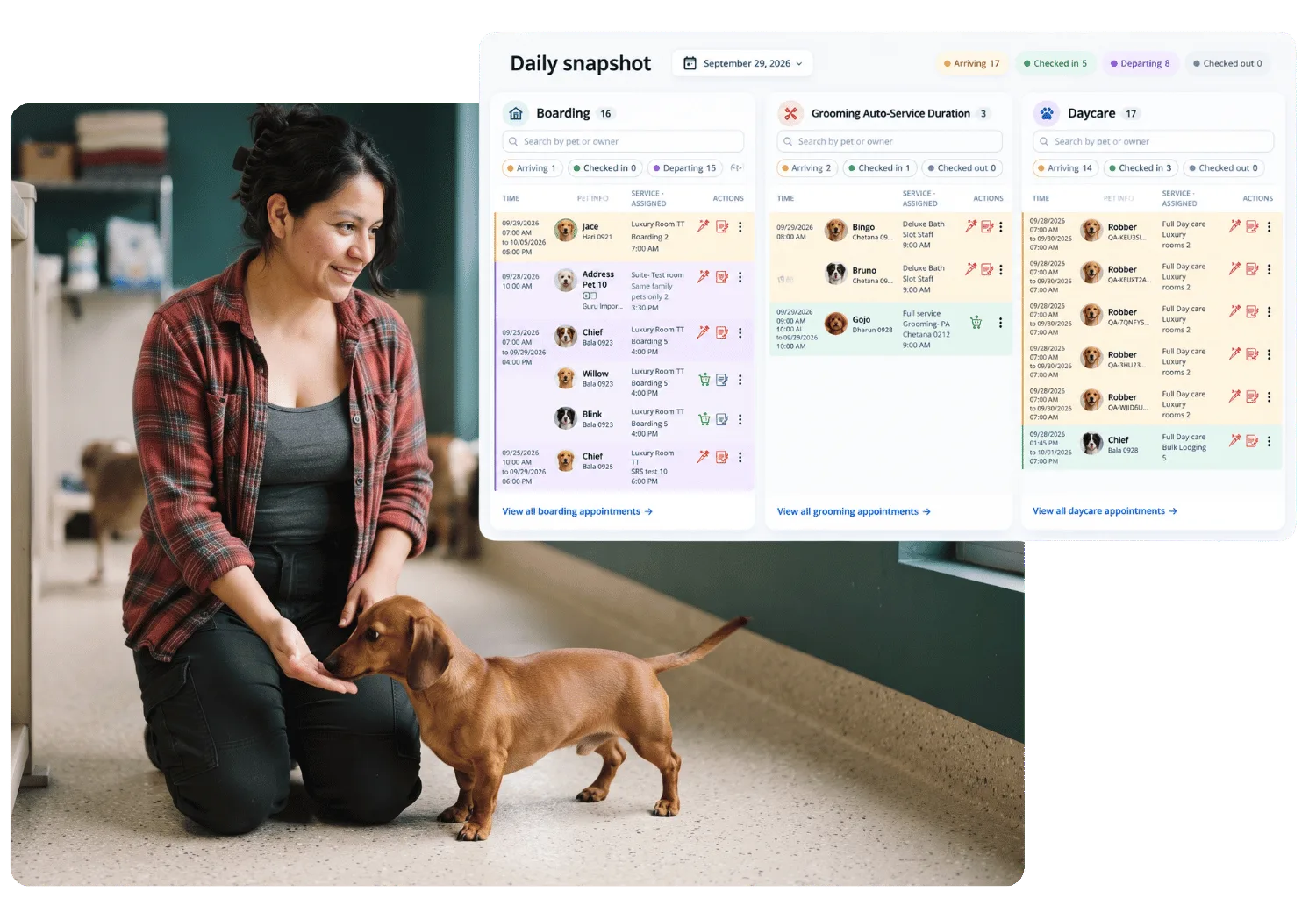
01Daily snapshot dashboard with boarding, grooming, and daycare columns showing arriving, checked-in, and departing pets, beside a staff member kneeling to greet a dachshund
Dashboard

Dashboard and daily snapshot

Appointments, arrivals, and pet count for the day, on the first screen after login.

Learn more
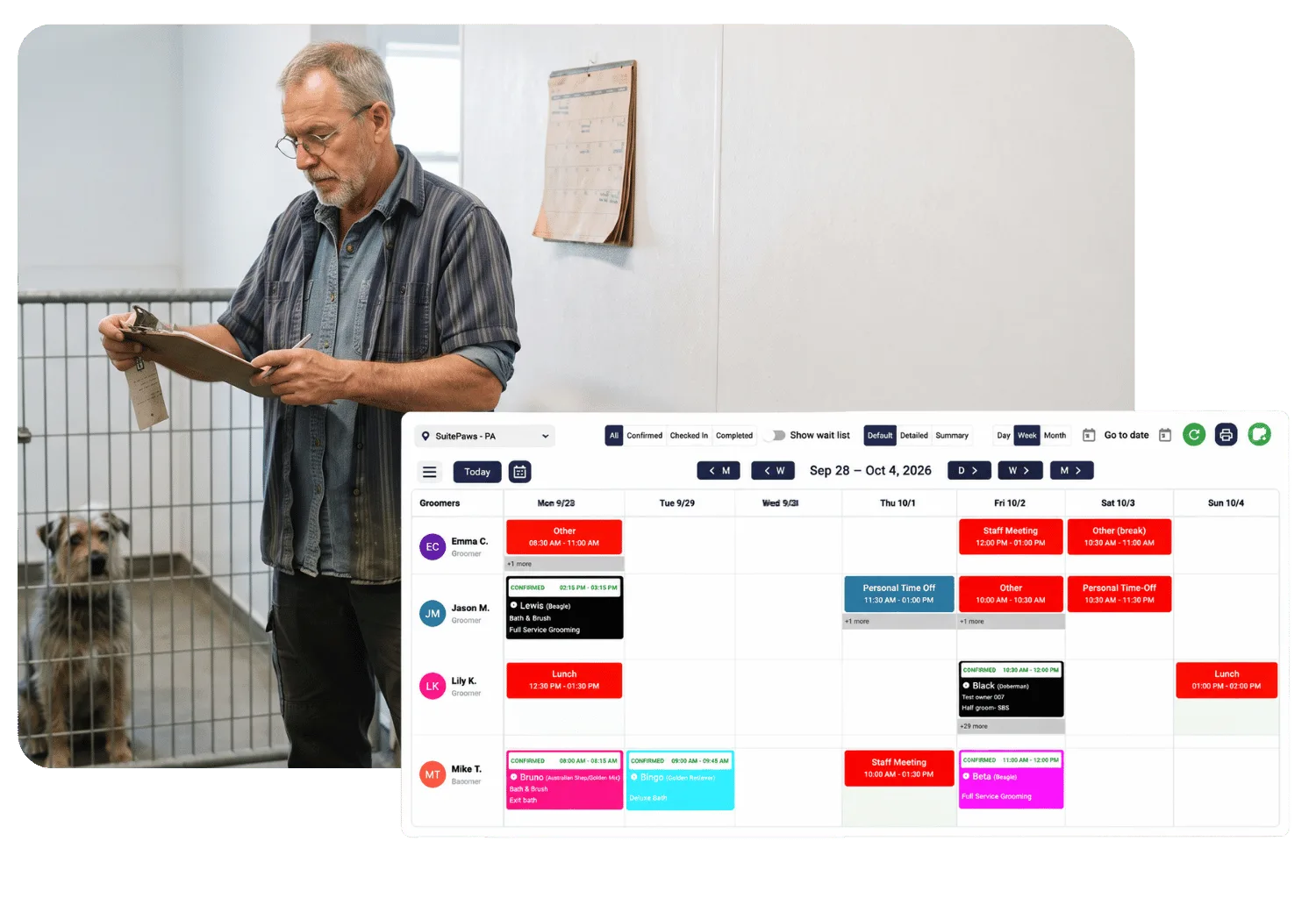
02Weekly groomer calendar showing each groomer's appointments, meetings, and time off, beside a staff member reviewing a clipboard next to a kennel with a dog inside
Calendar

Calendar and room assignments

Every booking in one view, with drag and drop room and run assignments.

Learn more
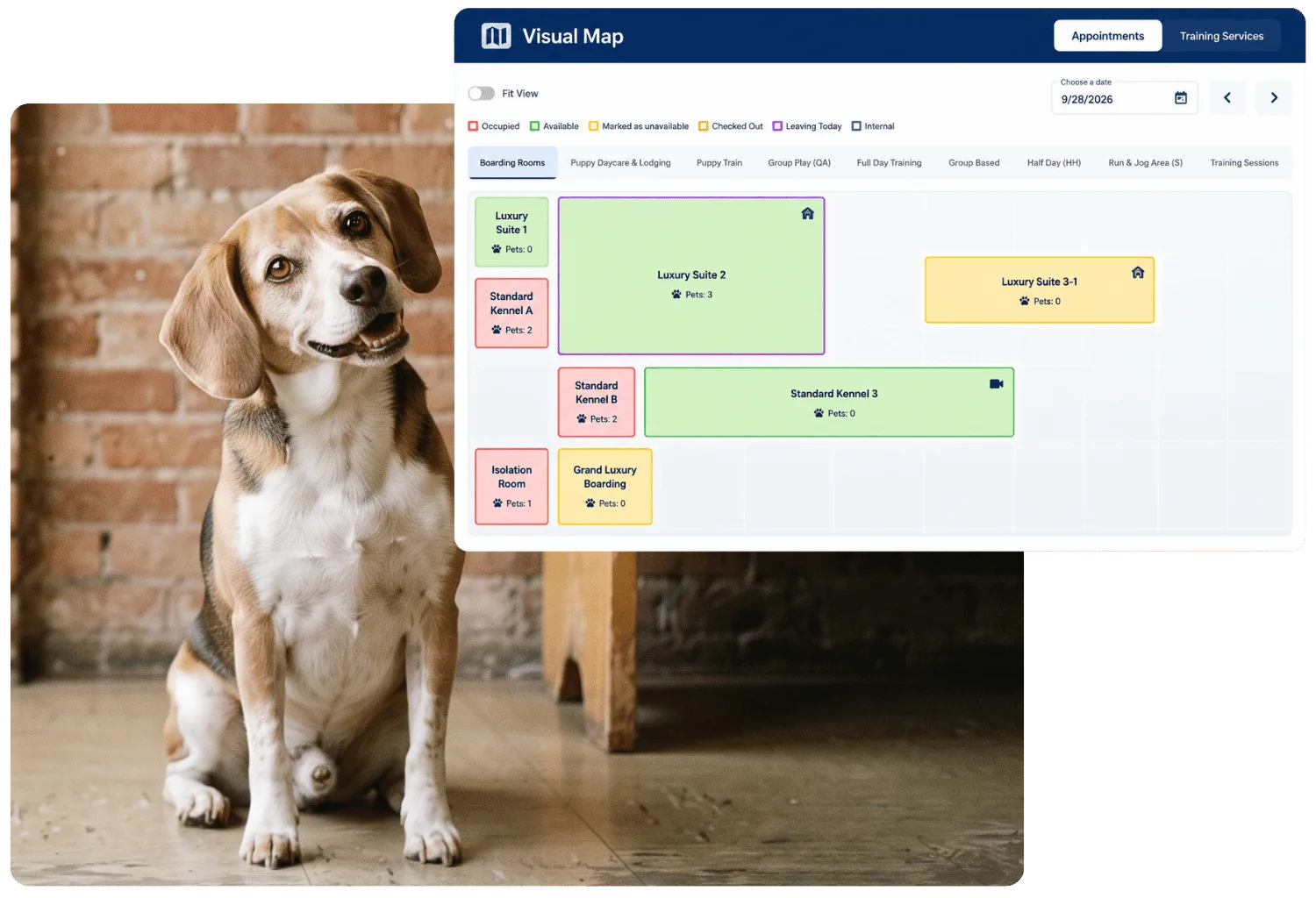
03Visual Map of boarding rooms color-coded by occupied, available, and unavailable status with pet counts, beside a beagle sitting by a brick wall
Map view

Visual map and quick checkout

See where every pet is right now, and check them out in a couple of clicks.

Learn more
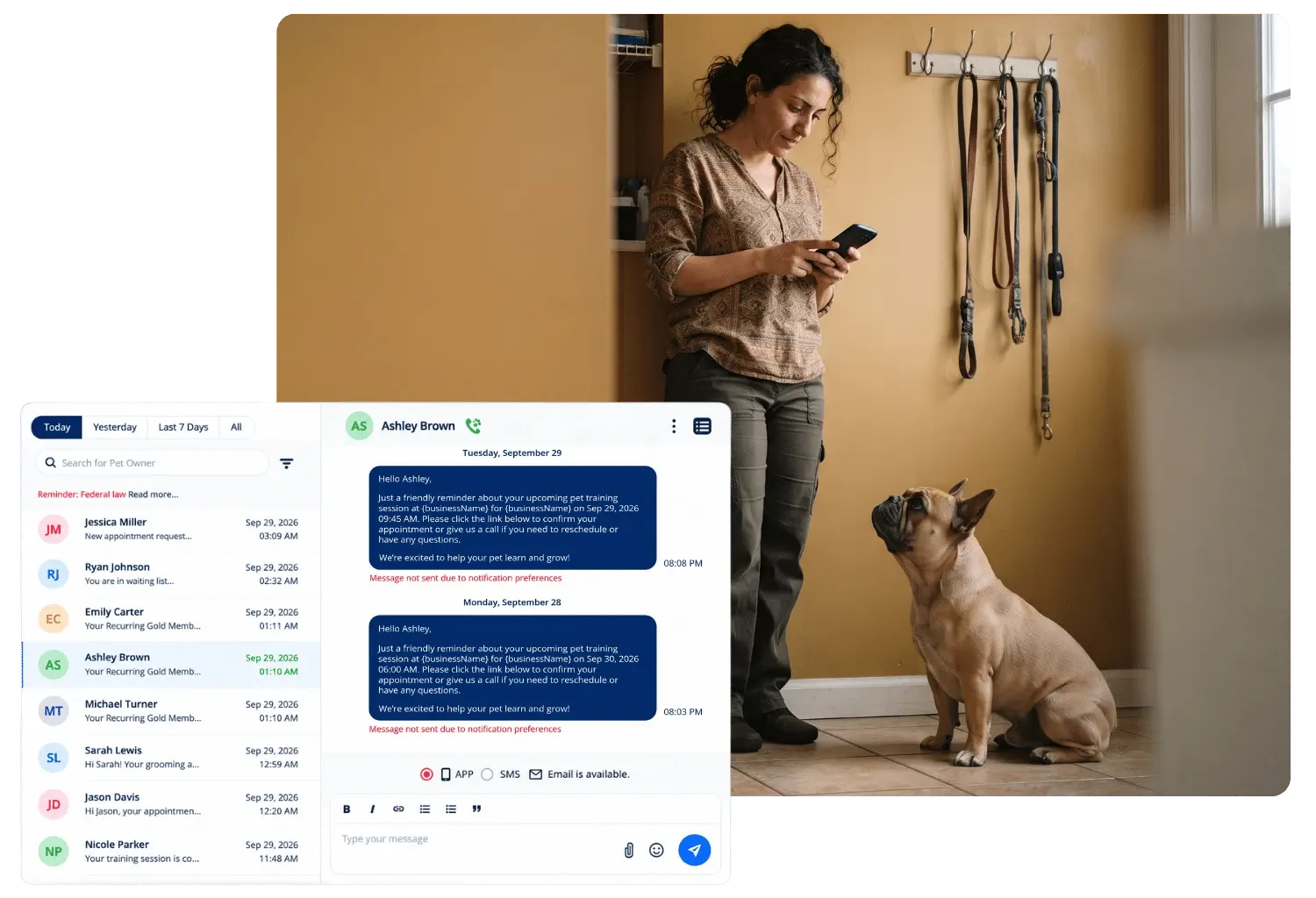
04Message hub listing client conversations with an appointment reminder thread and app, SMS, and email options, beside a staff member texting on her phone as a French bulldog looks up
Messaging

Message hub

Client conversations in one thread history, so nobody answers the same question twice.

Learn more
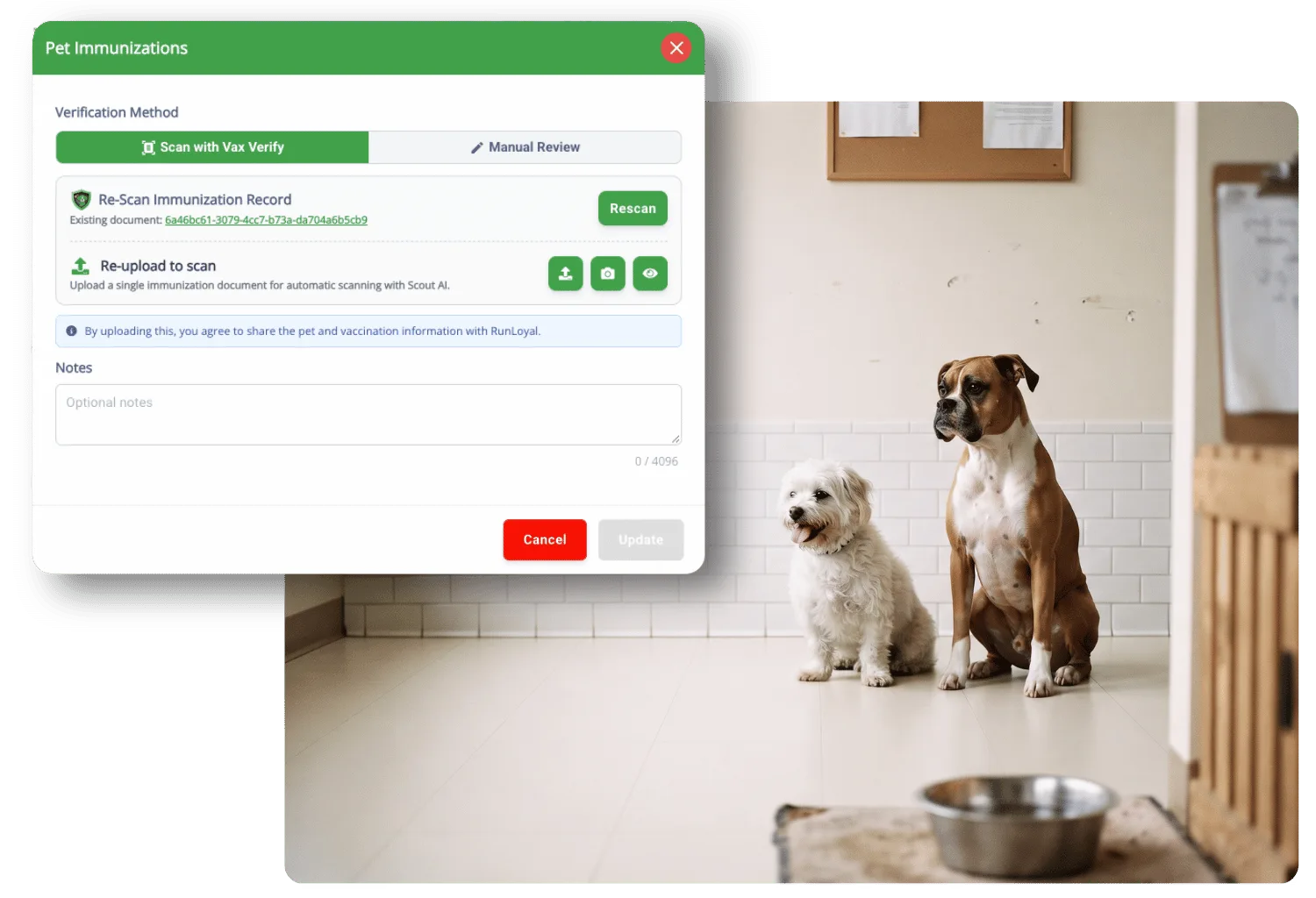
05Pet Immunizations dialog with Scan with Vax Verify selected and options to rescan or re-upload a record, beside a small white terrier and a boxer sitting side by side in a facility hallway
Compliance

Immunization validation

Vaccination records checked against your requirements before a pet arrives.

Learn more
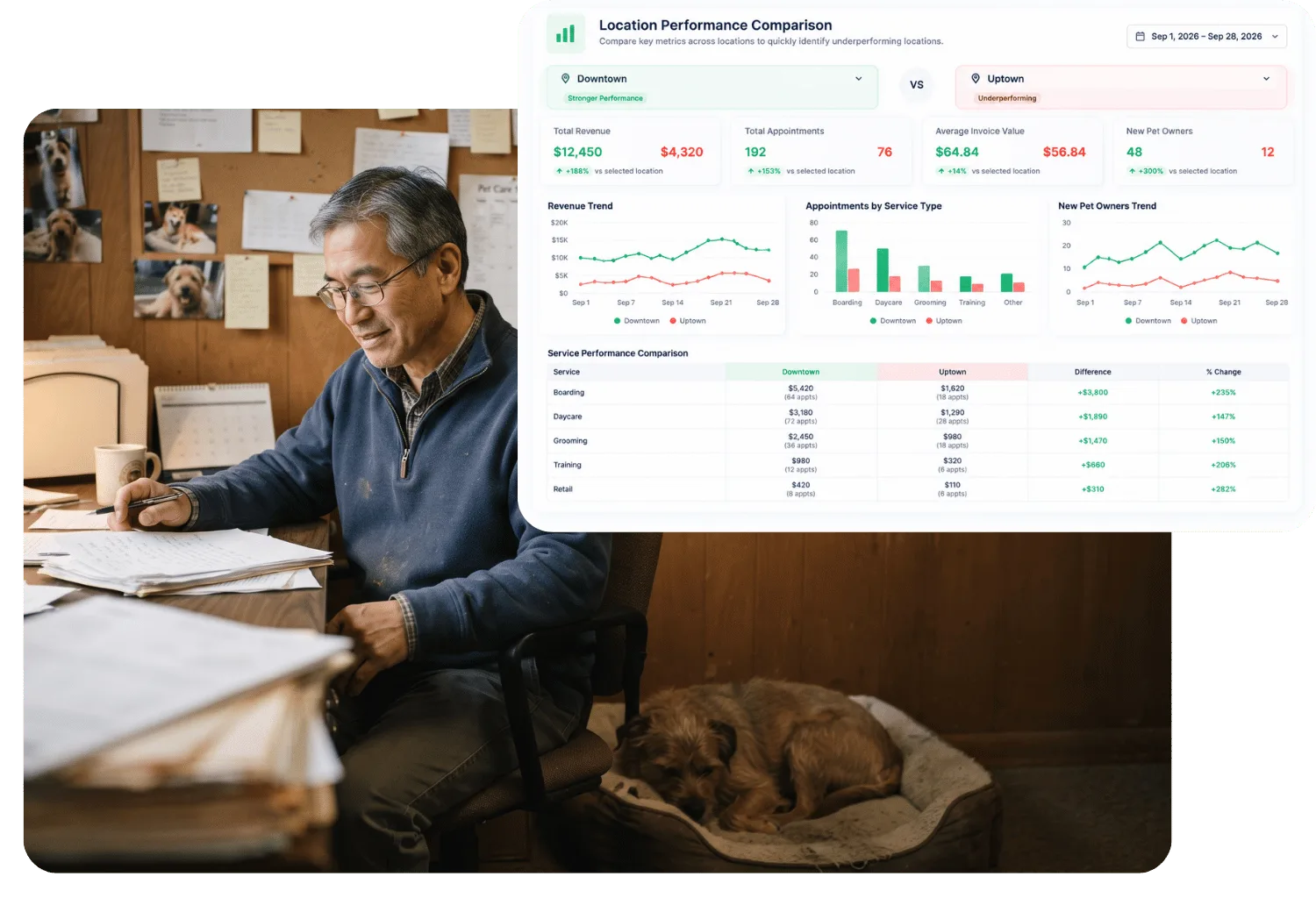
06Location Performance Comparison report contrasting revenue, appointments, and new pet owners between two locations, beside an owner working through paperwork at his desk while his dog sleeps nearby
Reporting

Reporting with Paw Metrics

Revenue, occupancy, and performance reporting built in, no spreadsheet export.

Learn more
The Animal Keeper Encinitas logo
Google review · On the business portal

“Almost all settings are extremely customizable and provides support for retail. Perfect for both small or big companies.”

The Animal Keeper Encinitas
Encinitas, CA · Google review
Business Portal FAQ

Questions about the portal

A demo is the fastest way to see your own dashboard, live.

Book a Demo

It's entirely web-based. Log in from any browser, no installation required, and it works the same whether you're at the front desk or checking in remotely.

Yes. Each staff member gets a personal login with permissions set for their role, so you control what each person can see and do.

Yes. Staff clock in, clock out, and log breaks directly, and that time feeds your payroll reporting automatically.

Yes. Built-in reporting shows where your revenue is coming from and how the business is performing, without exporting to a separate spreadsheet.

Ready when you are

See your own dashboard, live, in a demo.